Back to work
Master Inbox·2025

Master Threads

Sales teams were losing deals because prospect replies were scattered across campaigns, subject lines, and channels. We designed Master Threads to automatically unify every conversation with a prospect into a single thread, regardless of where the reply came from.
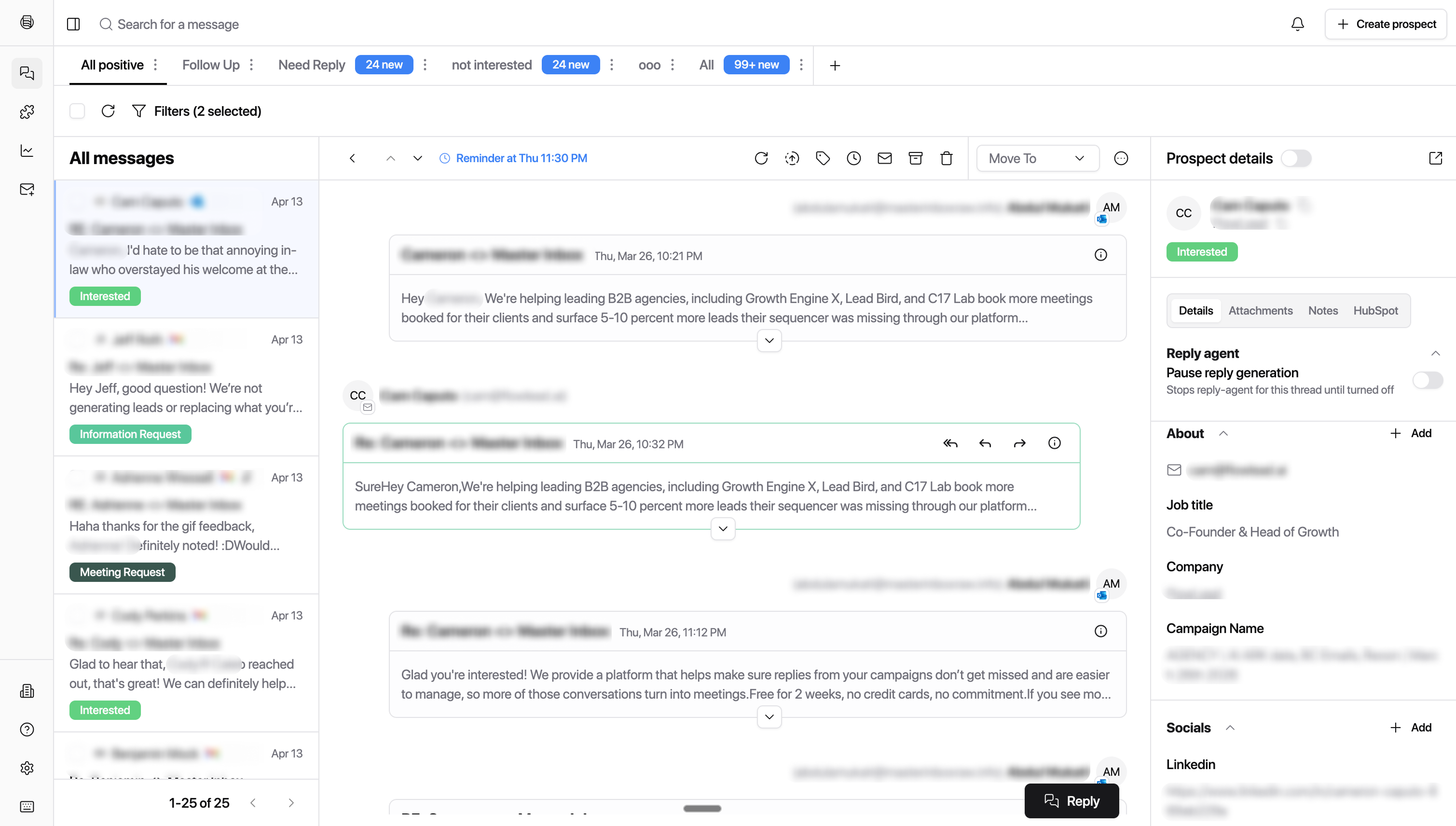
Master Threads — unified thread view

The platform and the problem.

Master Inbox is a unified inbox platform for sales and lead-gen agencies. It aggregates replies from email, LinkedIn, and outreach tools like SmartLead, Instantly, and HeyReach into one workspace.

The core product worked: replies came in, teams responded. But conversations with the same prospect were fragmented. A prospect who replied to Campaign A on Monday and Campaign B on Thursday showed up as two separate threads. Teams were replying without context, duplicating outreach, and losing warm leads in the noise.

Where conversations break.

We talked to agency owners managing 50+ client accounts and SDRs handling hundreds of active conversations daily. The same pattern emerged: fragmentation was costing them deals.

A single prospect could generate 4–5 separate inbox entries across different campaigns, subject lines, and channels. Teams had no way to see the full picture without manually searching and cross-referencing.

Duplicate outreach was common

Teams unknowingly contacted the same prospect from different campaigns. Prospects noticed and flagged it as spam, damaging sender reputation and killing deals.

Context was lost between replies

An SDR responding to a Thursday reply had no idea the same prospect had already replied on Monday to a different campaign. They started conversations from scratch instead of continuing them.

Manual merging didn't scale

Some teams tried searching by email or name to piece together history. At 500+ active conversations, this took too long. Most gave up and treated each reply as isolated.

Warm leads went cold

When a prospect replied across multiple threads, the response often fell through the cracks. No single person owned the full conversation, so follow-ups were delayed or missed entirely.

One prospect, many threads.

“I had a prospect who replied three times across two campaigns. Three different people on my team responded. The prospect got confused, we looked unprofessional, and the deal died. All because we couldn't see it was the same person.”

— Agency owner, 120+ mailboxes

The problem wasn't that replies were missing. The inbox was working. The problem was that the inbox treated each reply as independent, when in reality, conversations with the same prospect are one continuous thread regardless of which campaign triggered them.

We framed it as an identity problem: the system needed to understand that a reply from john@company.com to Campaign A and a LinkedIn DM from John Smith are the same conversation. Once identity is resolved, the threading follows naturally.

Fragmented threads

Replies from the same prospect appeared as separate conversations, with no link between them.

No cross-channel view

Email and LinkedIn replies lived in separate streams. There was no unified timeline for a prospect.

Ownership gaps

When multiple team members saw different threads for the same prospect, nobody owned the full relationship.

One thread, full history.

A Master Thread shows every interaction with a prospect in chronological order: emails sent, replies received, LinkedIn messages, and automated follow-ups. Each message is tagged with its source campaign and channel so users understand the context without losing the unified view.

01

Unified timeline

All messages are displayed in a single chronological feed. Users see the full conversation arc without switching between campaigns or channels.

02

Source tagging

Each message shows which campaign triggered it and which channel it came through. This preserves attribution without fragmenting the view.

03

Cross-channel indicators

When a conversation spans email and LinkedIn, visual indicators show channel transitions. Teams can see when a prospect moved from one channel to another.

04

Retroactive merging

When the system identifies a match, it merges existing threads retroactively. Historical conversations are unified, not just new ones going forward.

Master Thread — unified conversation timeline

Resolving who is who.

The hardest design problem wasn't the thread UI — it was confidence. When the system merges two threads, it's making a claim: these are the same person. If it's wrong, the user sees a jumbled conversation that makes no sense. We needed to get identity resolution right, and we needed to show our work.

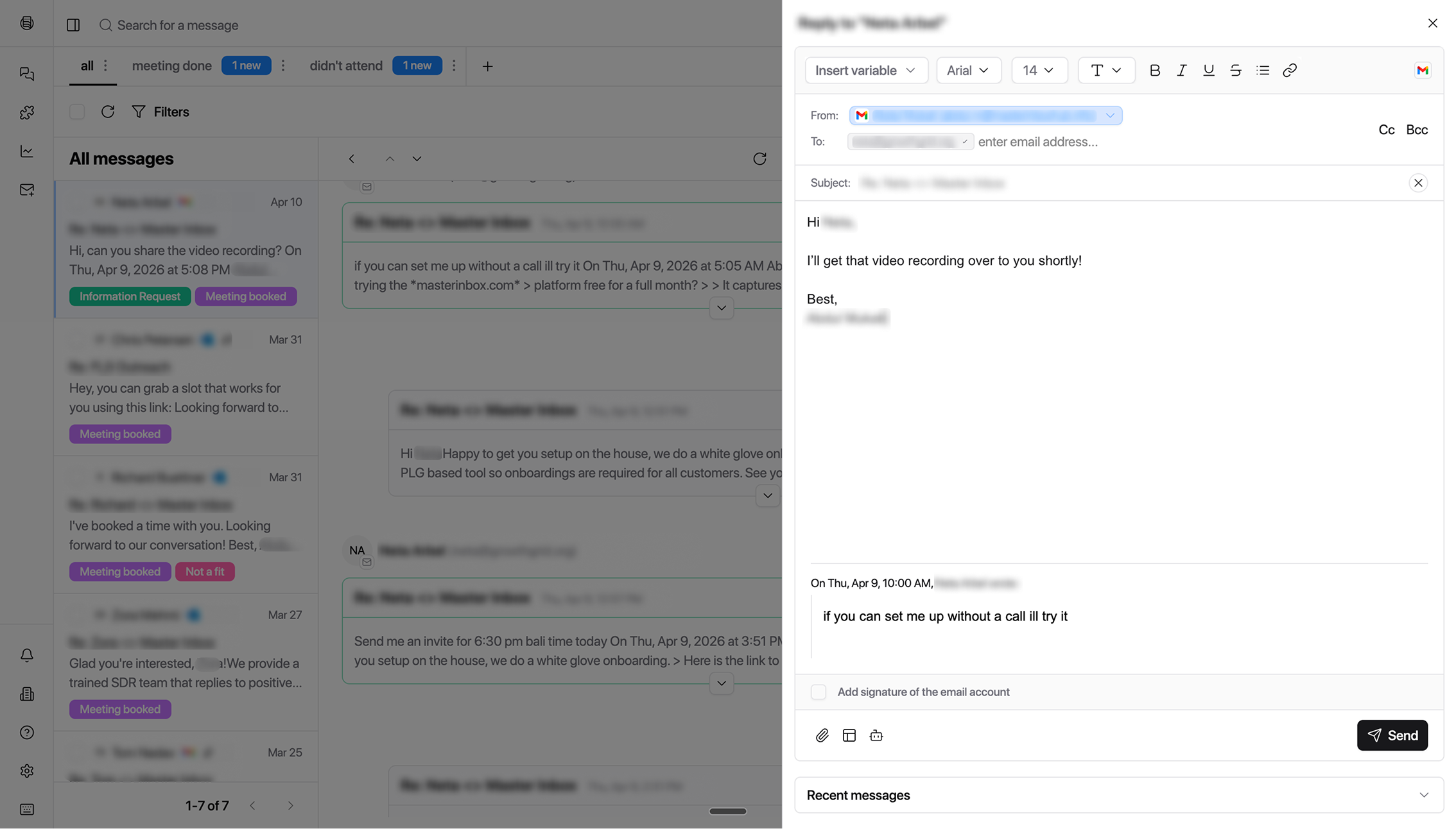
We designed a prospect profile card that surfaces the matched identifiers: email addresses, LinkedIn profiles, and outreach tool metadata. Users can see exactly why the system believes two threads belong to the same person, and they can unlink them if the match is wrong.

We deliberately made the unlink action easy to find. If users don't trust the merge, they won't trust the product. Giving them a clear escape hatch actually increased confidence in the system — knowing they could undo a bad merge made them more willing to rely on automatic ones.

Prospect identity card — matched identifiers and unlink action

Fewer threads, more signal.

With Master Threads, the inbox sidebar collapses what used to be 4–5 separate entries into one. The thread count drops, but the information density goes up. Each row now shows the prospect name, the number of merged conversations, the latest message preview, and the channels involved.

We also added AI-powered labels that categorise replies automatically: interested, objection, out of office, unsubscribe. Combined with threading, this means the inbox surfaces actionable conversations first instead of burying them in noise.

Before

Same prospect appeared as 4–5 separate threads

No connection between email and LinkedIn replies

Manual search to piece together conversation history

Duplicate outreach from multiple team members

Warm leads buried in fragmented noise

After

One Master Thread per prospect, all replies unified

Cross-channel timeline: email + LinkedIn in one view

Automatic identity resolution, no manual merging

Clear ownership — one thread, one conversation owner

AI labels surface interested leads first

Redesigned inbox — collapsed threads with AI labels

What changed.

72%

Reduction in duplicate outreach to the same prospect

40%

Fewer inbox threads to manage per workspace

2.4×

Faster average response time to warm leads

What we'd do differently.

We should have shown merge confidence scores earlier. The identity resolution system has varying levels of confidence depending on how many signals match. We initially hid this complexity, but users wanted to know why threads were merged. Adding a simple confidence indicator would have built trust faster.

The unlink flow needed more guardrails. When users unlinked a wrongly merged thread, the system sometimes re-merged it on the next sync because the underlying signals still matched. We needed a “never merge these” override that persisted, which we shipped in a follow-up.

Cross-channel threading should have been the launch feature. We shipped same-channel merging first (email-to-email) and added cross-channel (email-to-LinkedIn) later. But cross-channel was the highest-value case. Launching with it would have made a stronger first impression and validated the identity layer sooner.

All projects

Ready to build something great?

I collaborate closely with founders and teams to ship products that truly matter.

“Mahnoor is one of the most thoughtful designers I've worked with. She doesn't just make things look good. She digs into the problem, talks to users, and designs solutions that actually move metrics. Her work on our AI platform was exceptional.”

Team Lead

Beam.ai